
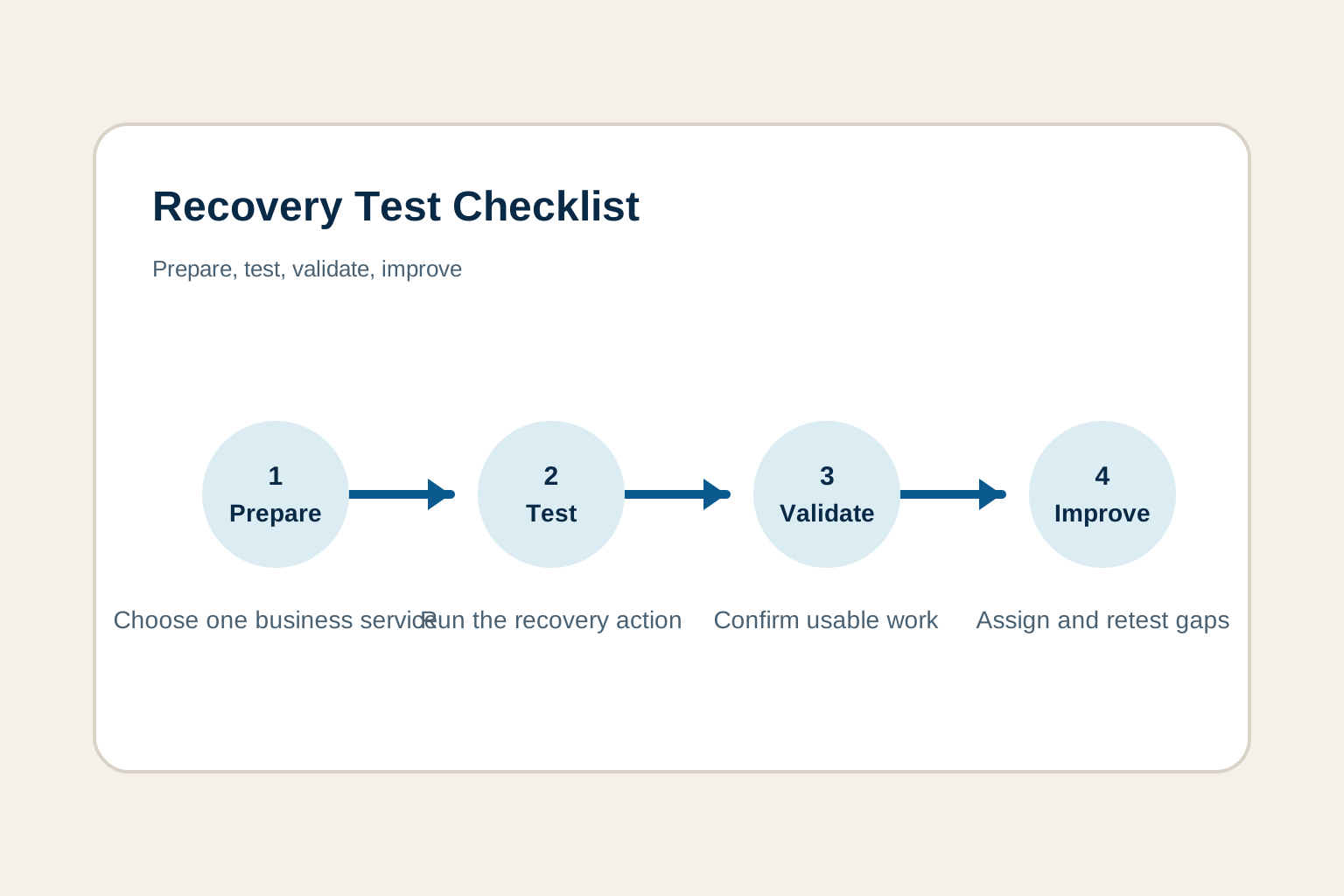
A recovery plan is not proven because it exists, and a backup is not proven because a dashboard says it completed. A disaster recovery test gives leaders practical evidence: can the right people restore the work that matters, within a time the business can tolerate, without creating another problem along the way?
The most useful tests are focused. They choose one important business service, define a safe scenario, make the recovery path visible, and leave the organization with specific improvements. This checklist gives growing businesses a sensible way to start, whether the first exercise is a file restore, an application recovery, a tabletop conversation, or a combination of the three.
What disaster recovery testing should prove
Testing should answer a handful of honest questions. Can the recovery team find the current plan, reach the right contacts, get approved access, restore the selected information or service, and let a business user complete the task they depend on? Can the team measure how long it took and identify where the plan stopped matching reality?
The National Institute of Standards and Technology describes contingency planning as coordinated plans, procedures, and technical measures for recovering systems, operations, and data after disruption. Its contingency-planning guidance recognizes that recovery may involve restoring systems, using safe manual workarounds, or working from an alternate location. That is a helpful lens for a small or growing organization. The goal is usable work, even when the normal path is unavailable.
1. Choose one business service, not every system
Start with work that would quickly affect customers, revenue, safety, payroll, required records, or a firm commitment. Examples include scheduling appointments, accessing current client files, processing orders, communicating with field staff, using the accounting system, or receiving customer support requests.
Name the service in business language, then list the technology behind it. “The scheduling team can securely access today’s appointments from another location” is a stronger test target than “restore the server.” It gives everyone a clear result to validate and prevents the test from becoming a vague technical project.
If the organization has not agreed on what must recover first, begin with a business impact analysis. It helps identify the processes, people, systems, data, and vendors behind essential work.
2. Set the scenario, scope, and safety boundary
A useful scenario is plausible and contained. It might be a lost device, unavailable cloud files, failed line-of-business application, corrupted data, office connectivity outage, or a suspected ransomware event. Do not begin by simulating the largest possible disaster. A narrow test is easier to complete, learn from, and repeat.
Define what is in scope, what stays untouched, where the work will happen, and who can stop the exercise. A representative restore in an isolated location is usually safer than a surprise production failover. If a vendor must participate, agree on the window and support path before the day of the test. A clear boundary protects normal operations while still revealing whether the plan works.
3. Write a business outcome and success measures
State the result the business needs, the time it should take, and the oldest acceptable data. For example: “Restore a recent client folder to a safe location and let the operations manager locate and open the files within four hours, with no more than one business day of missing changes.” The numbers should come from business consequences, not wishful thinking.
Capture the expected recovery time and acceptable data loss before starting. Then compare the actual outcome after the test. This is where a recovery target becomes useful. It reveals whether backup frequency, access, vendor agreements, and recovery procedures can support what the business believes it needs.
4. Confirm people, contacts, and secure access
Recovery work often slows down because ownership is unclear. Before the exercise, confirm a business decision-maker, recovery coordinator, technical owner, security contact, vendor contacts, and backup owners for key roles. Verify that someone can reach each vendor and has the account information or support authorization the vendor will require.
Also confirm the secure path to administrator accounts, recovery codes, support agreements, and current instructions. Do not put passwords or sensitive recovery material in the test notes. The point is to prove that the approved access process works without relying on the unavailable service, one employee’s phone, or someone’s memory.
5. Test a real recovery action
Choose an action that demonstrates the plan in practice. Restore a representative file, recover a mailbox or account, validate a backup copy, walk through application recovery with a vendor, or run a tabletop exercise for the first hour of an incident. A backup restore test plan can make a focused data-recovery exercise repeatable.
For a technical test, trace the whole path. Find the correct recovery point, authenticate using the approved method, restore the selected material, make it available in the required location, and confirm that the right person can use it. A green backup status is only one step. The recovery path includes access, documentation, dependencies, and business validation.
For a tabletop exercise, have the group move through the first decisions together. Who confirms the impact? Who decides whether to use a workaround? What must be contained before recovery begins? Who updates employees, customers, or vendors? The U.S. Cybersecurity and Infrastructure Security Agency notes that testing can progress from plan reviews to tabletop walkthroughs and then partial or full tests. That staged approach lets teams build confidence without trying to prove everything at once.
6. Check the dependencies around the service
A restored application is not necessarily a usable application. Important work can depend on identity access, internet connectivity, licensing, shared storage, phones, email, network rules, integrations, printers, or another vendor’s platform. Add those dependencies to the checklist before a real interruption exposes them one by one.
Ask a business user to complete a small, normal task after the recovery action. Can they sign in? Can they find the current record or file? Can they send the required message, process a safe test transaction, or complete the work customers expect? This catches a common false positive: technology looks healthy, but the business still cannot operate.
7. Measure what actually happened
Record start and finish times, people involved, approvals needed, systems and vendors touched, recovery point used, and every step that was unclear or slower than expected. Note whether the result met the business outcome, not simply whether the test felt productive. A short factual record creates a baseline for the next exercise.
NIST’s Contingency Planning Guide calls for testing individual recovery procedures and documenting results so deficiencies can be addressed. For a growing organization, that can be a straightforward record: what was tested, what happened, what changed, who owns the next action, and when it will be checked again.
8. Turn gaps into assigned improvements
Every useful test finds something. Perhaps an owner was unavailable, a contact list was stale, a vendor escalation path was unclear, access took too long, a dependency was missing, or a user could not complete the intended task. Treat those findings as the value of the exercise, not as evidence the test failed.
Assign each improvement to one owner with a due date. Update the recovery plan, runbook, contact list, or vendor record while the details are fresh. Then choose the lightest practical way to verify the fix. A five-minute contact check, a repeat restore, or a short walkthrough can prove that the issue is actually closed.
9. Set a repeatable cadence
Recovery readiness changes when systems, vendors, staff, locations, security controls, or customer commitments change. Set a rhythm that fits the service’s impact. Many teams use a mix of smaller quarterly checks and a broader annual exercise. Higher-risk services may need more frequent testing, while lower-risk services can be reviewed as part of a planned cycle.
Retest after meaningful change, not just on the calendar. A migration, major software change, new backup provider, office move, leadership change, or a real incident can all invalidate an old assumption. Use a disaster recovery test plan to plan the next focused exercise, and use an application disaster recovery plan when a single high-value application needs more detailed dependencies and validation criteria.
Common mistakes that make a test less useful
The first mistake is treating a completed backup job as proof of recovery. A job can finish successfully while the team still lacks the correct permissions, recovery instructions, storage capacity, application dependencies, or a way for users to validate the result. Test a complete path from the chosen recovery point to usable work.
The second is trying to test too much at once. A company-wide failover may sound thorough, but it can become so large that people spend the whole exercise managing logistics instead of learning about a specific recovery path. Start narrow, document the outcome, and increase the scope only when the team can repeat the basics confidently.
The third is calling a technical restore a business success without asking the people who use the service. A restored database, virtual machine, or file share may still be missing current data, user permissions, integrations, or performance. Include a manager or frontline user in the success criteria, then have them complete the real task the test is meant to protect.
Finally, do not let findings disappear into a meeting note. A recovery exercise earns its time by creating clear improvements. Keep the correction small and specific, name an owner, set a due date, and verify it before the next annual review. That discipline turns every test into an investment in faster, calmer decisions when the stakes are real.
A simple disaster recovery testing checklist
- Choose one essential business service. Name the work customers or employees need to complete.
- Set a realistic scenario. Keep the first exercise focused, safe, and relevant.
- Define the business outcome. State what a user must be able to do after recovery.
- Set the targets. Record the expected recovery time and acceptable data loss.
- Confirm owners and access. Validate contacts, vendor authority, and secure recovery access.
- Run the recovery action. Restore, recover, or walk through the selected response.
- Validate with a business user. Confirm that the recovered service is safe and usable.
- Record the evidence. Capture timing, dependencies, decisions, results, and gaps.
- Assign improvements and retest. Give every finding an owner, a due date, and a follow-up check.
How ShorePointIT can help
ShorePointIT helps growing organizations turn recovery assumptions into practical evidence. A free technology and cyber risk assessment can identify unclear priorities, backup and access gaps, vendor dependencies, and recovery steps that deserve a focused test. For teams that need ongoing ownership, ShorePointIT’s managed service levels bring responsive support, recovery planning, backup oversight, and technology leadership together.
Start with one business service, one safe recovery action, and one clear measure of success. The next test will be easier to run, and the business will be better prepared when an interruption is no longer hypothetical.

